
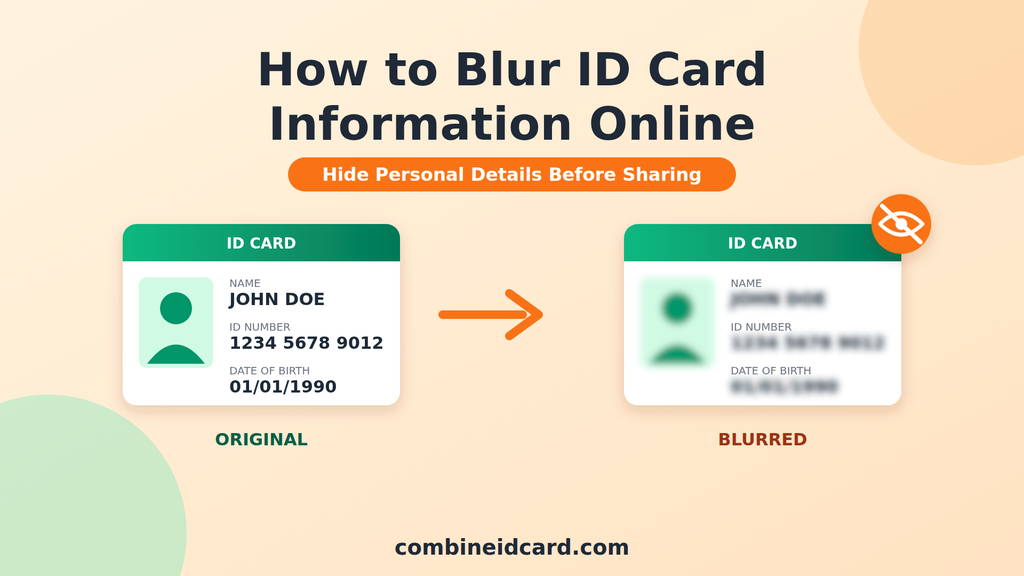
If you need to Blur ID Card Details Online before sharing a photo or document, take a moment to protect details that are not required by the recipient. Hiding private information such as your ID number, home address, or date of birth can help limit unnecessary exposure while keeping essential details visible. An ID Card Privacy Protection approach helps you decide which information should remain readable and which details may be concealed.
Whether you are sharing a US state ID, UK driving license, student card, or another identification document, understanding how to hide sensitive details on an ID card can help you share copies more carefully. This guide explains why protecting personal information matters and what to consider before sharing an edited ID image.
Why Blur ID Card Details Before Sharing?
When you blur ID card details online, you can reduce unnecessary exposure of personal details while preparing a copy for sharing. ID Card Privacy Protection is useful when you need to hide sensitive information in an ID card picture for a specific purpose.
- Protecting privacy: Conceal details the recipient does not need
- Online sharing: Prepare a redacted copy for permitted use
- Public posts: Avoid displaying real identification details
- Tutorials and examples: Keep personal information out of demonstrations
- Safer document sharing: Limit unnecessary disclosure of private data
Important: Never hide or alter details when an organization requires a complete, unmodified ID for verification.
Which ID Card Details Can Be Blurred?
When you blur ID card information online, identify the exact areas that should be concealed. An ID Card Detail Hiding Tool can help protect selected fields, especially when you need to hide sensitive information from an ID card image while keeping other details readable.
Depending on the document and sharing purpose, you may consider concealing:
- Identification or document numbers
- Home address
- Date of birth
- Personal reference numbers
- Other information that is not required by the recipient
How to Blur ID Card Details Online?
To blur ID card details online, use an image editor that supports blurring or redaction. An Online ID Card Privacy Editor helps conceal selected areas, while hiding sensitive information on an ID card before sharing a digital copy can reduce unnecessary exposure.
- Prepare your image: Select a clear picture of your ID card
- Open an image editor: Choose a tool that offers a blur or redaction feature
- Upload the image: Add your ID card picture if the editor requires an upload
- Select sensitive areas: Identify the numbers or personal details you want to hide
- Apply blur or redaction: Use the available editing feature to cover the selected information
- Review the result: Check that the concealed details cannot be read
- Save a separate copy: Keep your original document unchanged and store the edited version separately
Important: Confirm that the editor genuinely supports blur or redaction not assume that CombineIDCard.com offers a blur feature unless it is available in the tool.
Blur vs. Redaction: What Is the Difference?
When you blur ID card details online, understand the difference between visual blurring and permanent redaction. An ID Card Redaction Tool helps conceal information, while permanently hiding private ID card details before sharing a document requires checking that the original information cannot be recovered from the exported file.
- Blur: Makes selected information difficult to read, but weak blur effects may leave details recognizable
- Solid redaction: Covers information with an opaque shape, making it more suitable for concealing details when properly applied and flattened
- Cropping: Removes part of an image, but may also remove information needed by the recipient
For sensitive documents, use a properly flattened redacted copy and verify the exported result. A visual blur alone should not be treated as a guarantee that information is unrecoverable.
Tips for Protecting Personal Information on ID Cards
When you blur ID card details online, review the entire image rather than focusing only on the identification number. An ID Card Privacy Tool can support safer sharing, especially when you need to prepare a redacted ID card image without exposing unnecessary personal details.
- Check both the front and back of the card
- Conceal details that are not required for the intended purpose
- Avoid uploading sensitive documents to unfamiliar websites
- Read the website’s privacy policy before uploading
- Check whether image processing happens in the browser or on a server
- Keep the original document in a secure location
- Review the exported image before sending it
Can You Blur ID Card Details on a Phone?
Yes, you can edit an ID card picture on a mobile device if your chosen image editor supports blur or redaction. An ID Card Blur Editor for Mobile helps conceal selected areas, especially when you need to hide personal information on an ID card photo using an iPhone or Android phone.
Use an editor that provides precise selection and lets you review the exported image and make sure the edited copy does not reveal the original information through layers, annotations, or recoverable editing data.
Final Thoughts on Blur ID Card Details Online
Blurring or redacting unnecessary ID card details can help reduce the amount of personal information exposed when sharing documents. Choose an appropriate editing method, check the recipient’s requirements, and review the exported image before sending it.
For combining the front and back of an ID card into one image, visit CombineIDCard.com. You can arrange supported ID card pictures and prepare a combined file for your records.
Frequently Asked Questions
Can I blur ID card Details before sharing a picture?
Yes, You can use an image editor with a blur or redaction feature to conceal the number, provided the recipient does not require the complete document.
Which details should I hide on an ID card?
It depends on why you are sharing the document and consider hiding unnecessary identification numbers, addresses, dates of birth, or other private details.
Is blur enough to protect sensitive ID card information?
Not always, A weak blur may leave details recognizable and for sensitive information, properly applied and flattened redaction is generally more reliable.
Can I blur ID card Details on an iPhone or Android phone?
Yes, Use a mobile image editor that supports precise blur or redaction and check the saved result carefully.
Can I blur ID card Details on Both Sides?
Yes, if our image editor supports editing both pictures and always review the front and back separately to ensure no sensitive details remain exposed.
Should I send a blurred ID card to a bank or government office?
Only if the organization accepts a redacted copy and some identity-verification processes require an unaltered document.
Does blurring an ID card change the original document?
Editing a picture creates an altered copy and does not change the original physical or officially issued identification document.
- How to Print ID Card Front and Back on One Page IN 2026 – Free Online Guide
- How to Merge Aadhaar Card Front and Back on One Page Online in 2026 – Free JPG & PDF
- How to Combine ID Card Front and Back on Android and iPhone in 2026 – Free Online Tool
- How to Combine PAN Card Front and Back on One Page Online in 2026 – Free JPG & PDF
- How to Convert ID Card to PDF Online in 2026 – Free JPG to PDF Guide