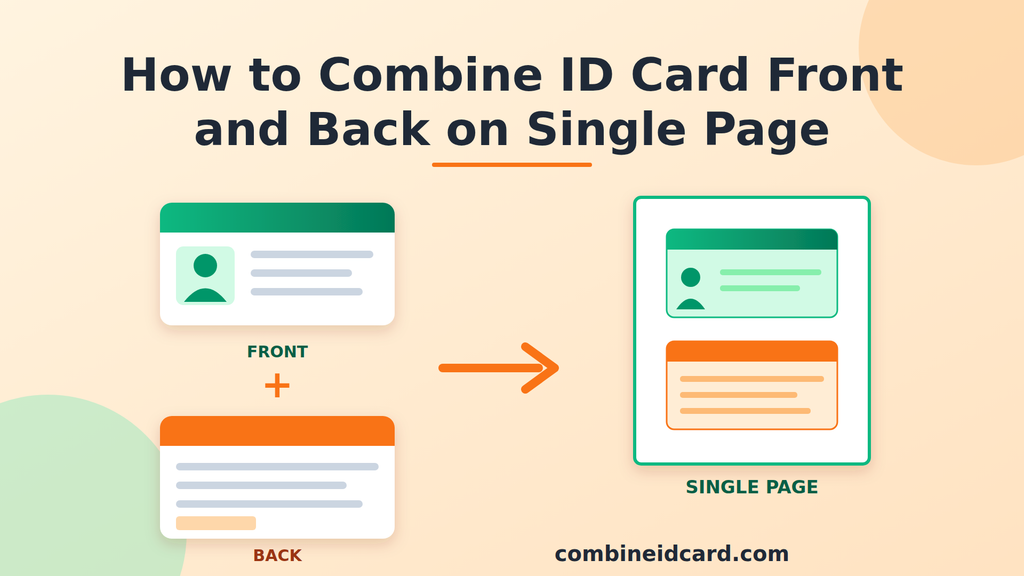
Want to combine ID card front and back on one page without using complicated editing software? An online ID card merger makes it easy to put both sides of your identity card together in a single image. Whether you have a CNIC, Aadhaar card, driving license, or another identification document, you can arrange both pictures in one place, making them easier to view, print, and share when needed.
At Combine ID Card, you will learn how to merge ID card front and back images online using a simple process. We will cover how to upload both pictures, choose the right layout, adjust their size, and download your combined ID card as a JPG or PDF. You will also find practical tips to keep your images clear, properly aligned, and ready for printing or document submission.
Why Combine ID Card Front and Back into One Image?
If you need to combine ID card front and back on one page for an application or document submission, merging both sides into one picture can make the process more convenient. Instead of handling separate files, you can use an ID Card Image Merger to create a single image with both sides arranged together.
- Online applications: Attach both sides of your identity card in one image when the application allows it
- Document verification: Keep the front and back together for easier reference during verification
- Printing purposes: Arrange both sides on one page instead of printing separate pictures
- Digital records: Store both sides in one organized file for personal reference
- Educational and office requirements: Prepare a combined image when an institution or employer requests both sides together
If you want a simple way to merge ID card front and back online without Photoshop, you can use the Combine ID Card Front and Back tool to arrange your pictures in one place.
Which Types of ID Cards Can Be Combined?
The process of combining ID card front and back is useful for many identification documents. An Online ID Card Merger can help arrange supported card images, while combining CNIC, Aadhaar, PAN, and driving licence front and back pictures into one file can make document preparation easier.
- CNIC: Pakistani Computerized National Identity Card
- Aadhaar Card: Indian identity document
- PAN Card: Permanent Account Number card
- Driving Licence: Front and back sides of a driving licence
- Voter ID Card: Identification card used for voter-related purposes
- Student ID Card: Educational institution identification
- Employee ID Card: Workplace identification
- Residence Permit: Identification documents issued for residency purposes
- Insurance Card: Front and back sides of an insurance identification card
How to Combine ID Card Front and Back on one page Online?
To combine ID card front and back online, you only need clear pictures of both sides and a suitable image-merging tool. An online ID Card Merger allows you to put both pictures together, while the process of merging two sides of an ID card into one JPG image can be completed directly through your browser.
- Prepare your ID card images: Take clear pictures or scans of the front and back. Make sure the text, photograph, and other important details are readable
- Open the online tool: Visit the free Combine ID Card front and Back one one page tool in your browser
- Upload both sides: Select the front and back pictures from your device. Check that both images have been uploaded correctly
- Choose the arrangement: Select a vertical layout to place the front above the back, or a horizontal layout to position both sides next to each other
- Adjust image size: Use the available resizing options to make the pictures look balanced and properly aligned
- Preview the combined image: Check the order, spacing, and visibility of important details before downloading
- Download your file: Save the completed image in JPG or PDF format, depending on the available options and your requirements
Best Layout to Combine ID Card Front and Back on one page
When you combine ID card front and back, selecting the right arrangement helps make the final image easier to read. A suitable Merge ID Card layout can improve the presentation, especially when you need to place both sides of an identity card on a single page for printing or submission.
Vertical ID Card Layout
A vertical layout places the front side at the top and the back side underneath it. This arrangement is useful for:
- Placing both sides in a top-to-bottom sequence
- Preparing an ID card image for document submission
- Keeping the front and back together in a compact arrangement
- Printing both sides of combine id card front and back on one page when the required format supports it
Horizontal ID Card Layout
A horizontal layout positions the front and back pictures side by side. You can use this arrangement when:
- You want both sides visible next to each other
- You are preparing a landscape-style document
- You need to compare the front and back easily
- You have enough horizontal space for both pictures
How to Resize ID Card Front and Back Images?
When you combine ID card front and back, both pictures should have a balanced appearance. An ID Card Resizer and Merger can help you prepare properly arranged images, especially when you need to resize front and back ID card pictures without distorting their original proportions.
- Maintain the original proportions of the identity card
- Avoid stretching images to fit a specific space
- Keep combine id card front and back on one page at a consistent visual size
- Make sure important text and photographs are not cropped
- Check the final dimensions before printing
- Use clear original pictures whenever possible
How to Download a Combined ID Card as JPG or PDF?
After you combine ID card front and back on one page, choosing the correct file format is important. A JPG or PDF ID Card Merger gives you a convenient way to prepare the final file, whether you need to save both sides of an ID card together for online applications or printing.
Download as JPG
JPG is a commonly supported image format that works with many websites, applications, and devices. Choose JPG when:
- An online form requests a JPG or JPEG image
- You need a picture for digital sharing
- You want to keep both sides in a single image file
- The receiving organization specifies an image format
Download as PDF
PDF is useful when you need to submit or print your combined ID card as a document. Choose PDF when:
- An application specifically requires a PDF.
- You want to keep the combined image in a document.
- You need a convenient format for printing.
- You are organizing documents for personal records.
You can use the online combine ID Card Front and Back on one page tool to prepare your images and select an available download format that meets your needs.
Tips for Creating a Clear Combined ID Card Image
A properly prepared image is easier to read and more suitable for printing or submission. When you combine ID card front and back, a Merge ID Card Images tool can help organize both sides, but creating a clear ID card image without cutting off important details also depends on the quality of your original pictures.
- Capture both sides under good lighting
- Keep the identity card straight while taking pictures
- Avoid glare, shadows, and reflections
- Make sure all important information is visible
- Use original images with sufficient resolution
- Maintain the correct front and back order
- Avoid unnecessary cropping or stretching
- Preview the final image before downloading
Is It Safe to combine ID Card front and back on one page Online?
A Private ID Card Merger should clearly explain its image-processing practices, especially when users need to combine personal identity card pictures online without exposing sensitive information unnecessarily.
- Check whether images are processed in your browser or uploaded to a server
- Read the website’s privacy policy before uploading sensitive documents
- Avoid using public computers for personal identity documents
- Do not share your ID card images with unknown websites or people
- Store downloaded files in a secure location
- Delete temporary copies from shared devices when finished
Final Thoughts
Combining both sides of an identity card into one image can make document preparation, printing, and digital storage more convenient. With clear pictures and the right arrangement, you can create a single file without complicated photo-editing software.
If you need to combine ID card front and back on one page online, try our free ID card merging tool. Upload both sides, choose your preferred layout, adjust the images, and download your combined file in a supported format.
Frequently Asked Questions
How can I combine ID card front and back on one page?
You can upload both pictures to an online ID card merger, choose a vertical or horizontal layout, adjust their size, preview the result, and download the combined file.
Can I merge ID card images online for free?
Yes, you can use an online ID card merging tool to arrange both sides in one image and check the tool for its available features and usage limits.
Can I combine both sides of a CNIC into one image?
Yes, Upload the front and back pictures of your CNIC and arrange them together using a vertical or horizontal layout, depending on your requirements.
Can I combine ID card front and back on one page into a PDF?
Yes, if the tool supports PDF downloads, you can save both sides together in a single PDF file.
Can I combine ID card front and back on one page on an Android or iPhone?
Yes, you can use a compatible online tool through your mobile browser to combine id card front and back on one page online and select both pictures from your phone and arrange them as needed.
How can I make both sides of an ID card the same size?
Use the available resizing options to adjust both pictures while maintaining their original proportions and avoid stretching or cropping important information.