
Combien & Merge JPG Files into One Online Free
Merge multiple JPG files into one image online for free with our easy-to-use JPG merger. Combine two or more JPG or JPEG images into a single picture using horizontal, vertical, or grid layouts.
Combined Image Preview
Want to merge JPG files into one image online? Our free tool makes it simple to combine two or more JPG pictures into a single image without installing software. Choose a horizontal, vertical, or grid layout, arrange your images in the preferred order, adjust spacing, and download your merged JPG in seconds. It is ideal for creating photo collections, joining screenshots, and organizing images for sharing or printing.
Our free JPG Image Merger gives you a convenient way to Combine JPG Files into one organized picture. Whether you need to join personal photos, screenshots, or images for a project, you can customize the layout and create your combined image directly in your browser. No sign-up is required, making the process quick and easy.
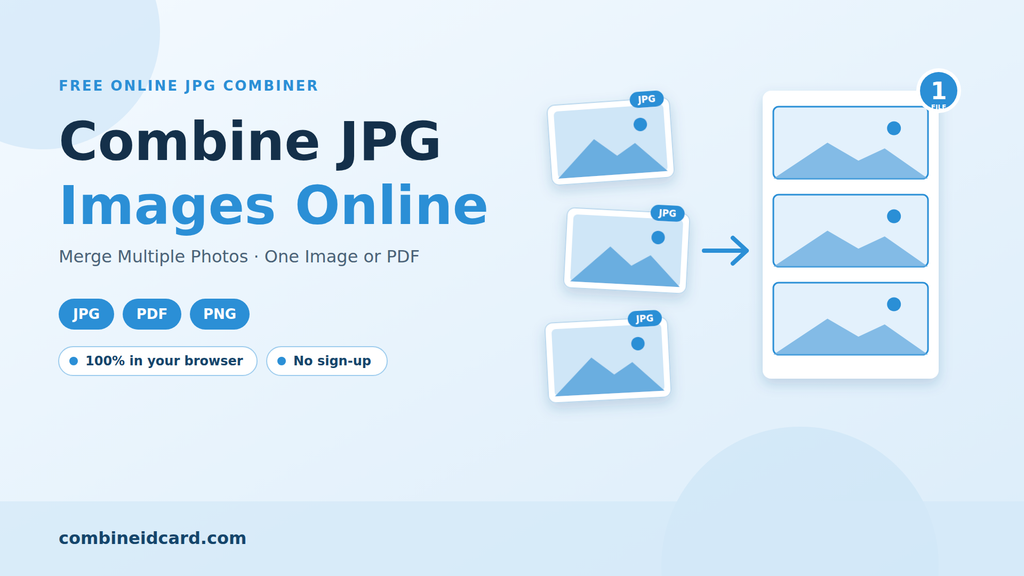
A reliable Merge JPG files Online tool helps you bring multiple pictures together without complicated editing software. Create a single image for documents, photo collections, presentations, or sharing on social media while keeping the process simple and convenient.
Looking for a quick way to Combine JPEG Images Online for Free? Use our browser-based tool to arrange your pictures, select a suitable layout, and create one image for your needs. Whether you are joining screenshots or organizing photos, you can complete the process in just a few clicks.
What Does It Mean to Merge JPG Files?
To merge JPG files into one image means combining two or more separate pictures into a single image that is easier to view, share, and organize. You can place photos side by side, stack them vertically, or arrange them in a grid to create a layout that suits your needs. This is useful when you want to bring related images together without using complicated photo-editing software.
Why Do People Combine JPG and JPEG Images?
People use a JPG Image Merger for many everyday tasks, from organizing personal photos to preparing images for work or study. Instead of sending multiple separate files, you can combine them into one convenient picture.
- Combine JPG Files to place multiple screenshots in one image
- Merge JPEG Images to organize related photos into a single picture
- Join scanned pages or document images for easier viewing
- Arrange product photos for catalogs, listings, or presentations
- Create before-and-after comparisons using two or more pictures
- Combine travel photos, memories, or reference images into one file
Whether you are organizing documents or creating a simple photo layout, merging JPG images helps keep your pictures together and makes them easier to share.
How to Merge JPG Files Online?
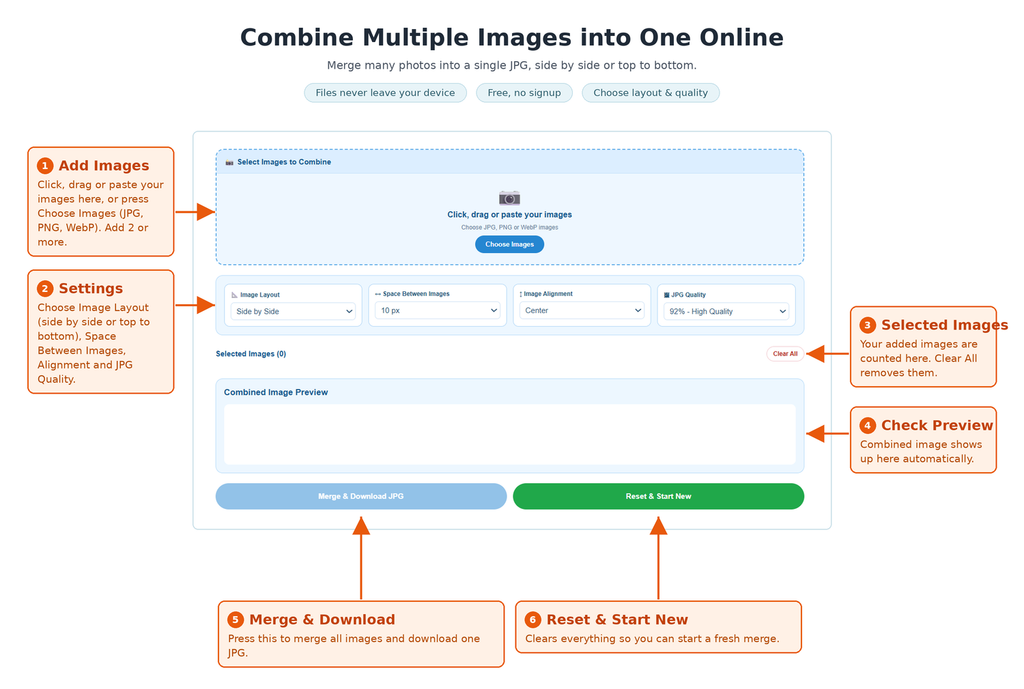
Follow these simple steps to merge JPG images into one picture. Upload your files, choose a layout, and download your combined image.
1. Upload Your JPG Images
- Click the upload area to select JPG or JPEG images from your device
- Add two or more images that you want to combine
- Upload multiple pictures together instead of selecting them one by one
2. Arrange Images in Your Preferred Order
- Drag and reorder images to control how they appear in the final picture
- Choose a horizontal layout to place images side by side
- Select a vertical layout to stack pictures from top to bottom
- Adjust the spacing and alignment to create a clean result
3. Preview and Download Your Merged JPG
- Preview your combined image before downloading it
- Check the image order, layout, and spacing
- Click the download option to save your merged JPG file
- Use your finished image for sharing, presentations, or personal projects
Why Use Our Tool to Merge JPG Files Online?
Our free Merge JPG Files Online tool makes it simple to combine multiple pictures into one organized image. Whether you are joining screenshots, arranging photos, or preparing images for a project, you can complete the process without complicated editing software.
Free Online JPG Merger
- Combine JPG files online without paying for a subscription
- No account registration or sign-up is required
- Merge images whenever you need a quick and convenient solution
No Software Installation Required
- Use the tool directly in your web browser
- No additional image-editing application is needed
- Access the tool from a compatible computer, tablet, or mobile device
Flexible Image Arrangement
- Place images horizontally or vertically
- Reorder pictures to match your preferred sequence
- Adjust spacing and alignment for a more organized appearance
Simple Preview and Download
- Review your merged image before saving it
- Make layout adjustments when needed
- Download the combined JPG file for easy sharing and storage
Useful for Different Purposes
- Combine screenshots into one image for tutorials and guides
- Join scanned pictures of documents for easier viewing
- Arrange product photos for online listings and presentations
- Bring personal photos together into a single picture
- Create before-and-after image comparisons
Convenient Across Devices
- Open the tool in a supported web browser
- Combine pictures from your computer, tablet, or smartphone
- Use a straightforward interface without a complicated editing workflow
Choose our combine JPG files Online tool whenever you need a simple way to bring multiple images together in one picture.
Merge JPG Files into One Image Online for Free
Combining pictures does not have to be complicated. With our free Merge JPG files Online tool, you can bring multiple images together, choose your preferred arrangement, and create one picture for sharing, storing, or everyday use. Whether you need to join screenshots, organize photos, or combine scanned images, the process is simple and convenient.
Our JPG Image Merger helps you Combine JPG Files into a single image without using complicated editing software. Upload your pictures, arrange them in the desired order, preview the result, and download your merged JPG when it is ready. Ready to combine your pictures? Use the tool above to merge your JPG or JPEG images into one organized image in just a few easy steps.
Frequently Asked Questions
How can I merge JPG files into one image online?
Upload two or more JPG images to the tool, choose a horizontal or vertical layout, arrange their order, and preview the result. Once everything looks right, download your combined JPG image.
Can I combine JPG files online for free?
Yes, you can use our free JPG merger to combine multiple pictures into one image without a subscription or sign-up.
Can I merge JPG and JPEG images together?
Yes, JPG and JPEG are commonly used for the same image format, so you can combine compatible JPG and JPEG pictures into one image using the tool.
Can I arrange images horizontally or vertically?
Yes, you can choose a horizontal layout to place images side by side or a vertical layout to stack them. You can also arrange the images in your preferred order.
Can I merge multiple JPG images into one file?
Yes, the tool lets you select multiple images and combine them into a single JPG picture. This is useful for joining screenshots, photos, and scanned images.
Can I merge JPG files on my mobile phone?
Yes, you can use the tool on a compatible mobile browser, provided your device and browser support the upload and download features.
Do I need to install software to merge JPG images?
No, you can use the online JPG Image Merger directly in a compatible web browser without installing a separate application.